
SECURITY & DATA
TPZ security, permissions, and data handling
TPZ reads supported Microsoft Entra identity and access data in read-only mode so your team can investigate what needs attention in one place.
No changes are made to your Microsoft Entra environment today. Customer-authorized action is being validated as part of the Design Partner Beta.
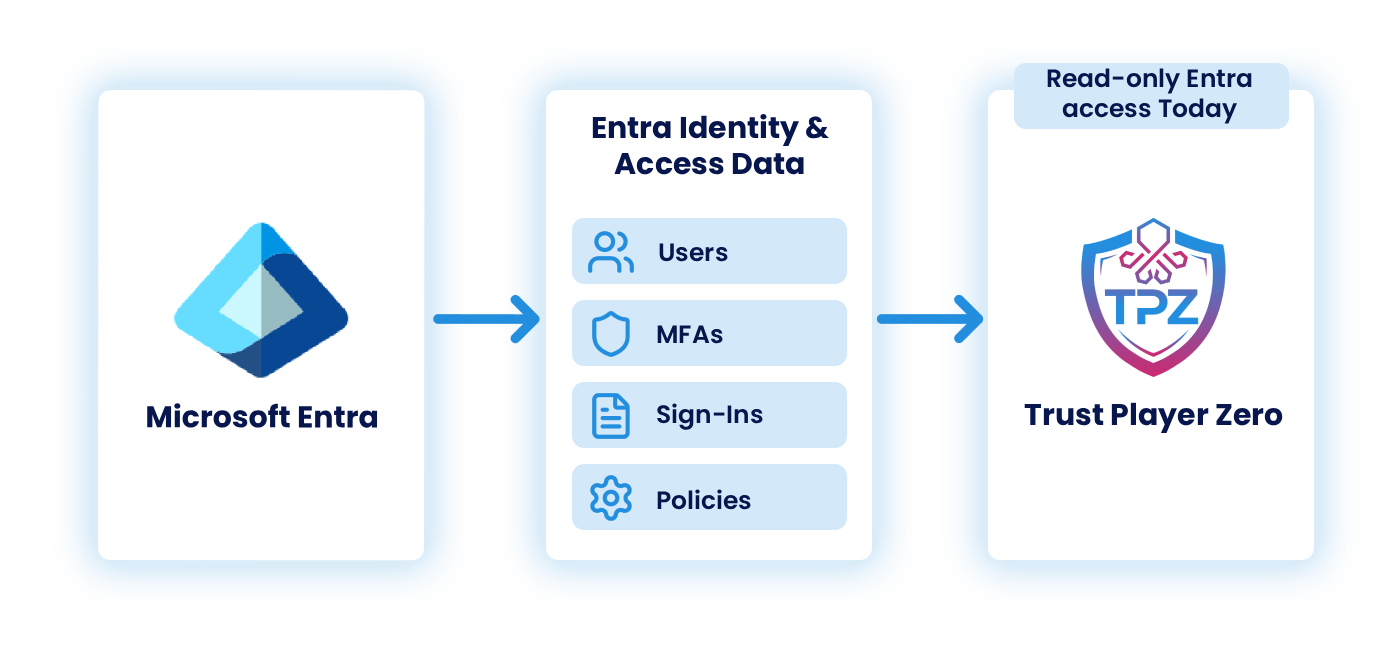
WHAT TPZ ACCESSES TODAY
THE IDENTITY AND ACCESS CONTEXT BEHIND THE INVESTIGATION.
TPZ brings supported Microsoft Entra identity and access information together so your team can investigate users, access, activity, and risk in one place.

USERS
Account details and status.

SIGN-INS
Recent authentication activity and related context.

DIRECTORY ROLES
Roles and privileged access.

CONDITIONAL ACCESS
Policies configured in the environment.

MFA REGISTRATION
MFA registration and methods.

APPLICATIONS & SERVICE PRINCIPALS
Application and service identity information.

IDENTITY RISK SIGNALS
Microsoft identity risk information available to TPZ.
ACCESS & PERMISSIONS
KNOW WHAT YOU’RE GRANTING.
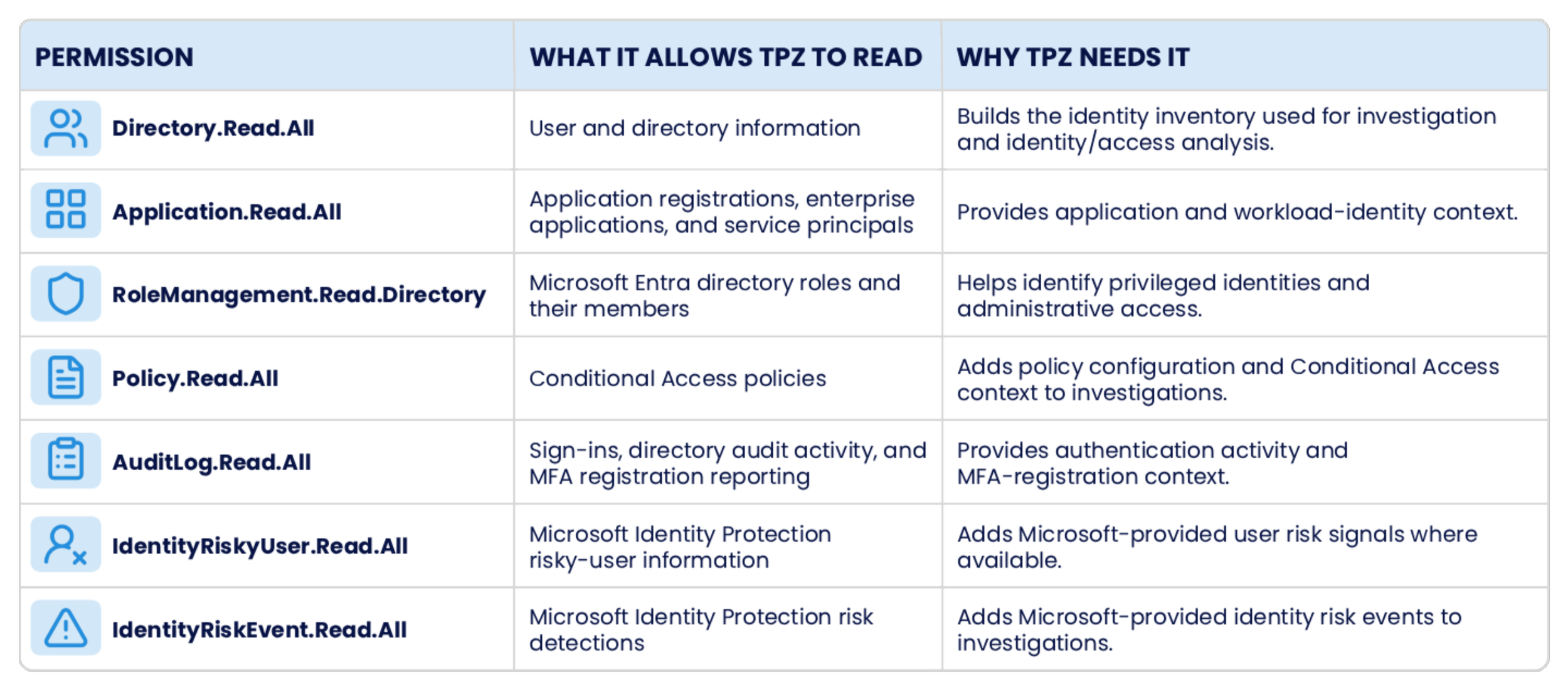
TPZ requires permission to retrieve the Microsoft Entra information used in the investigation experience.
The permissions below show what each one allows and why TPZ needs it.
CURRENT BOUNDARY
Permissions used by TPZ today support read-only investigation. TPZ does not use them to make changes to your Microsoft Entra environment.
DATA HANDLING
WHAT HAPPENS AFTER TPZ READS THE DATA.
TPZ normalizes selected Microsoft Entra information to support identity and access investigation, analysis, alerts, metrics, and product views. Some Microsoft responses are held briefly in application caches, while selected identity and access data is stored in TPZ’s configured PostgreSQL database.

Selected Microsoft Entra information and derived product snapshots can be stored in TPZ’s configured PostgreSQL database. Some live Microsoft responses are held only in short-lived application caches.
PROCESS & STORE

PROTECT
TPZ’s configured Aurora database and CloudWatch logs use AWS KMS encryption at rest. Application secrets are stored in AWS Secrets Manager.
Customer records are associated with an organization, and authenticated application access is scoped to organizations the user is authorized to access.
SCOPE ACCESS

Sign-in events are configured for 90-day retention. Other normalized identity and access snapshots are refreshed as Microsoft data changes and do not yet have one verified time-based retention period.
RETAIN

Sign-in events are configured for 90-day retention. Other normalized identity and access snapshots are refreshed as Microsoft data changes and do not yet have one verified time-based retention period.
ABOUT DISCONNECTING

TODAY

Read-only investigation.
TPZ uses read-only Microsoft Entra
access to retrieve and analyze identity and access information. It does
not currently make changes to the customer’s Entra environment.
BETA
FROM READ-ONLY INVESTIGATION TO CUSTOMER-AUTHORIZED ACTION.
Today, TPZ uses read-only Microsoft Entra access for investigation and analysis. In our Design Partner Beta, we are validating one customer-authorized Entra action end to end.
DESIGN PARTNER BETA
Customer-authorized action, end to end.
The Beta is designed to validate a single Entra action with the customer’s authorization. The customer remains
the decision-maker. The workflow captures the authorization, action, verification result, and
recovery evidence for the supported action.
BETA CONTROL MODEL
THE CUSTOMER STAYS IN CONTROL.
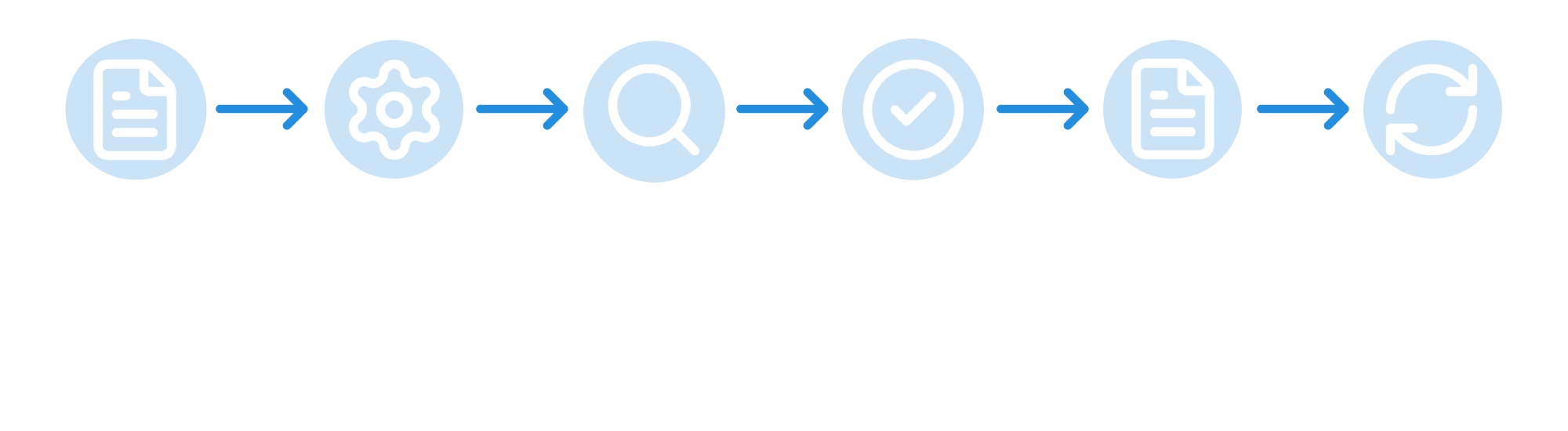
The Design Partner Beta is built around explicit customer authorization, independent verification, and governed recovery for the supported Microsoft Entra action.
01
AUTHORIZE
The action starts with the customer.
Before execution, the customer reviews and approves the proposed action in TPZ.
The Beta is intended to retain evidence of that authorization and the state the customer approved.
02
VERIFY
TPZ checks what actually changed.
After the authorized request is sent to Microsoft Entra, TPZ reads the resulting state back from Microsoft and compares it with the intended outcome.
The workflow is designed to distinguish a verified result from a mismatch or uncertain outcome.
03
RECOVER
Recovery is governed too.
If the action needs to be reversed, the Beta is designed to require customer-authorized recovery, read the resulting state back from Microsoft Entra, and retain evidence of the recovery.
BETA BOUNDARY
Authorization, execution, verification, retained action evidence, and recovery are Design Partner Beta targets. They are not Current product capabilities today.
SECURITY REVIEW
NEED MORE DETAIL BEFORE YOU CONNECT?
Security teams can review TPZ’s current Microsoft Entra access, data handling, and Design Partner Beta controls before connecting an environment.
CURRENT ACCESS
TPZ’s current Microsoft Entra runtime uses read-only Graph access for investigation and analysis. TPZ does not currently make changes to your Microsoft Entra environment.
DATA HANDLING
Selected Microsoft Entra information and derived product data can be stored in TPZ’s configured AWS environment. Sign-in events are configured for 90-day retention. Other normalized identity and access data does not yet have one verified time-based retention period.
AI ASSISTANT
When the AI Assistant is used, chat messages and relevant page context are sent to Anthropic to generate the response. Broader provider retention and model-training claims have not yet been verified for public use.

NEED A DEEPER TECHNICAL REVIEW?
We can walk through Microsoft Entra permissions, current data handling, and the authorization, verification, evidence, and recovery model being validated in the Design Partner Beta.